C4 diagram tool
Plotix's agent draws the C4 model of your system: the people who use it, the containers inside it, the outside systems it relies on, and how they talk.
What the agent draws
- People who use the system
- Containers with their technology
- Databases and outside systems
- The system boundary around what you own
How it works
- Link a repo, or describe it. Connect GitHub, or just say what the system does.
- Ask the agent. "Draw a C4 container diagram of the shop". It reads the code it needs, then draws.
- Edit, share, review. Change it by hand or in words, then send one link to your team.
Examples from real projects
Drawn by Plotix's agent from the projects' public code.
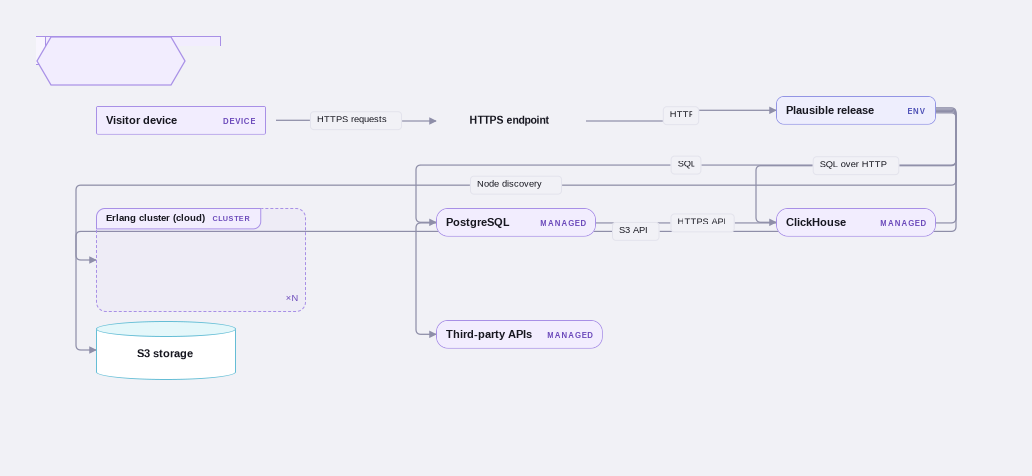
plausible/analyticsDeployment · Where the release runs in self-hosted and cloud setups, and which stores and external API…
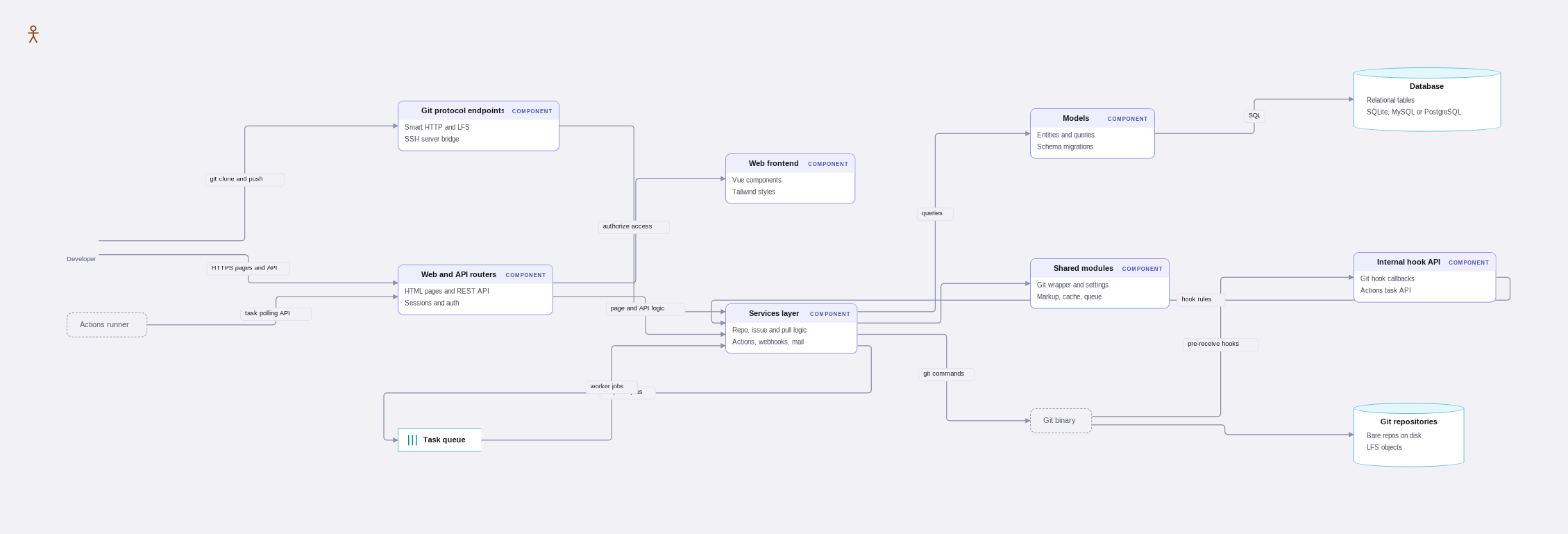
go-gitea/giteaOverview · How the single Gitea binary is split: HTTP and Git entry points, the services layer, mode…
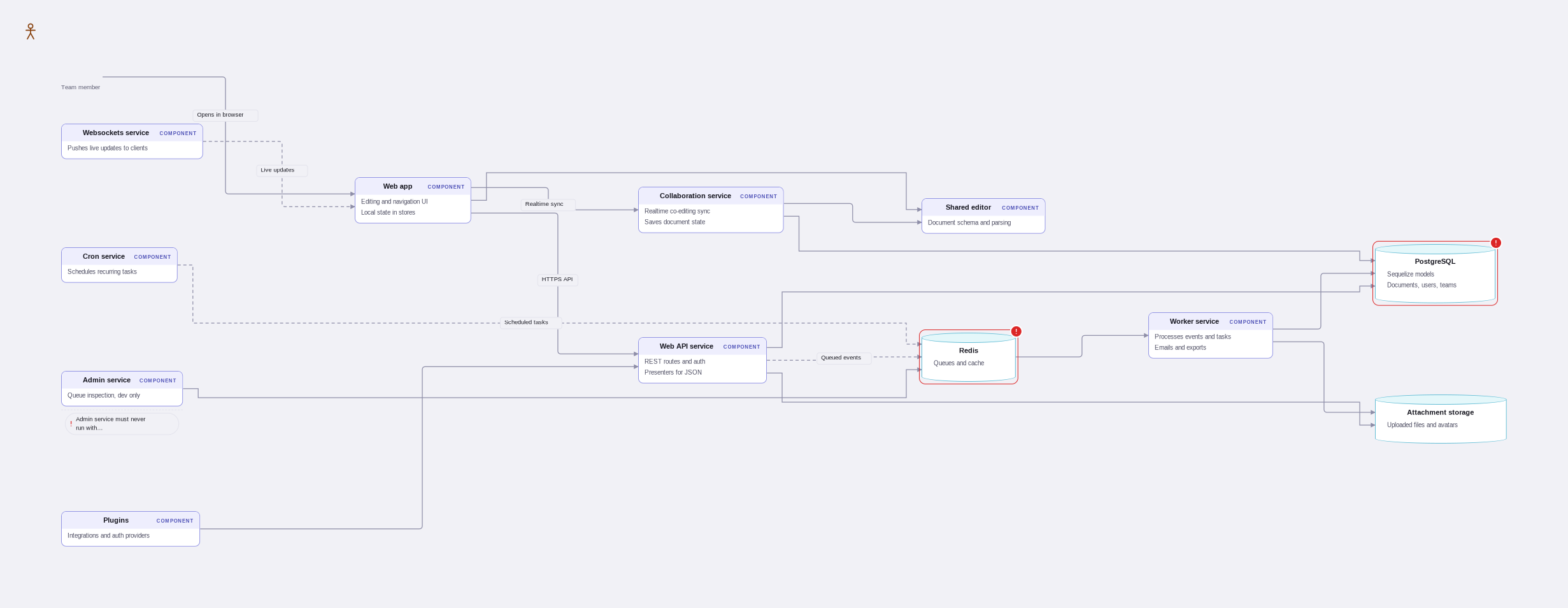
outline/outlineArchitecture · Processes and stores in the monorepo. Source: server/services, app, shared, plugins.
Questions
- What is a C4 diagram?
- A way to draw software architecture at a few zoom levels: the system in its context, the containers inside it (apps, APIs, databases), and the components inside a container.
- Does it read my code?
- Yes. Link a GitHub repo and the agent reads it to find the containers and what they call.
- Can I edit what the agent draws?
- Yes. The diagram is a normal canvas: move, rename and add boxes and lines yourself, or ask the agent for a change in plain words. Every change can be undone.
- Can my own coding agent draw here?
- Yes. Claude Code, Cursor, Codex and other agents connect over MCP with one command, and draw into the same diagrams.
Try it on your own code.
Try Plotix