Sequence diagram generator
Name a flow, like "placing an order", and Plotix's agent follows it through your code and draws the sequence: who calls whom, in what order, and what comes back.
What the agent draws
- Actors and lifelines
- Calls, replies and activations in order
- Loops, options and alternatives as fragments
- The messages' real names from your code
How it works
- Link a repo, or describe it. Connect GitHub, or just say what the system does.
- Ask the agent. "Draw the sequence of placing an order". It reads the code it needs, then draws.
- Edit, share, review. Change it by hand or in words, then send one link to your team.
Examples from real projects
Drawn by Plotix's agent from the projects' public code.
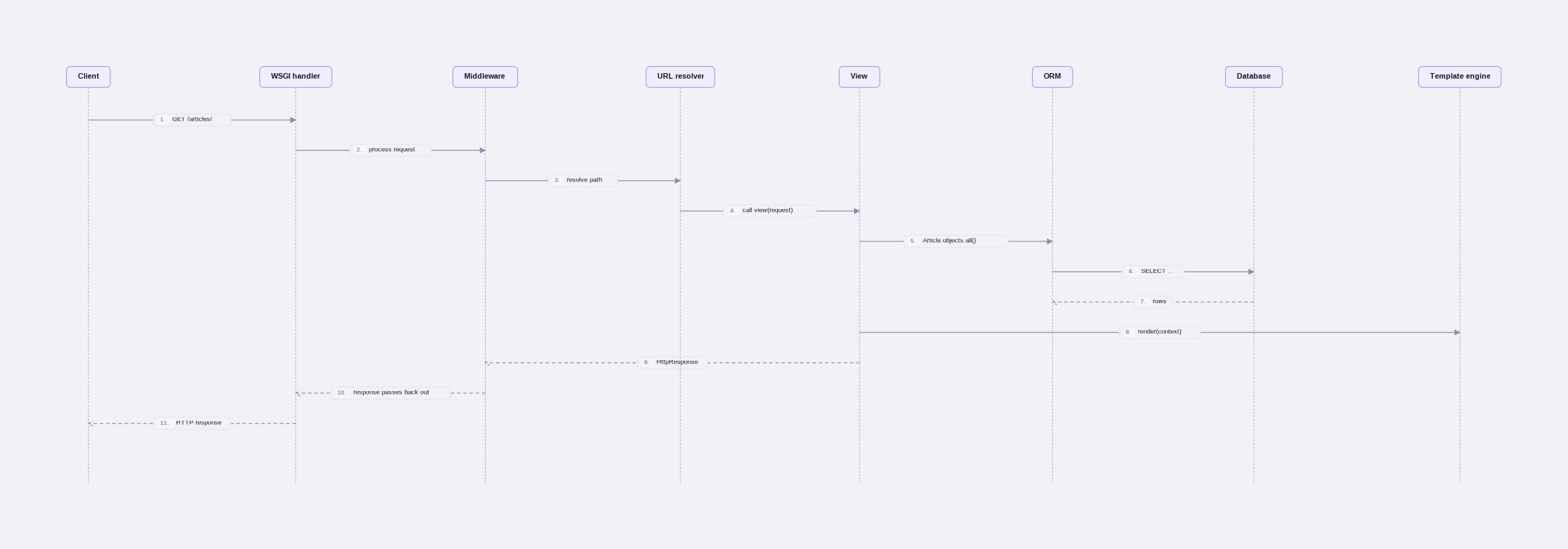
django/djangoRequest sequence · The order of calls for one request, from the client to the response.
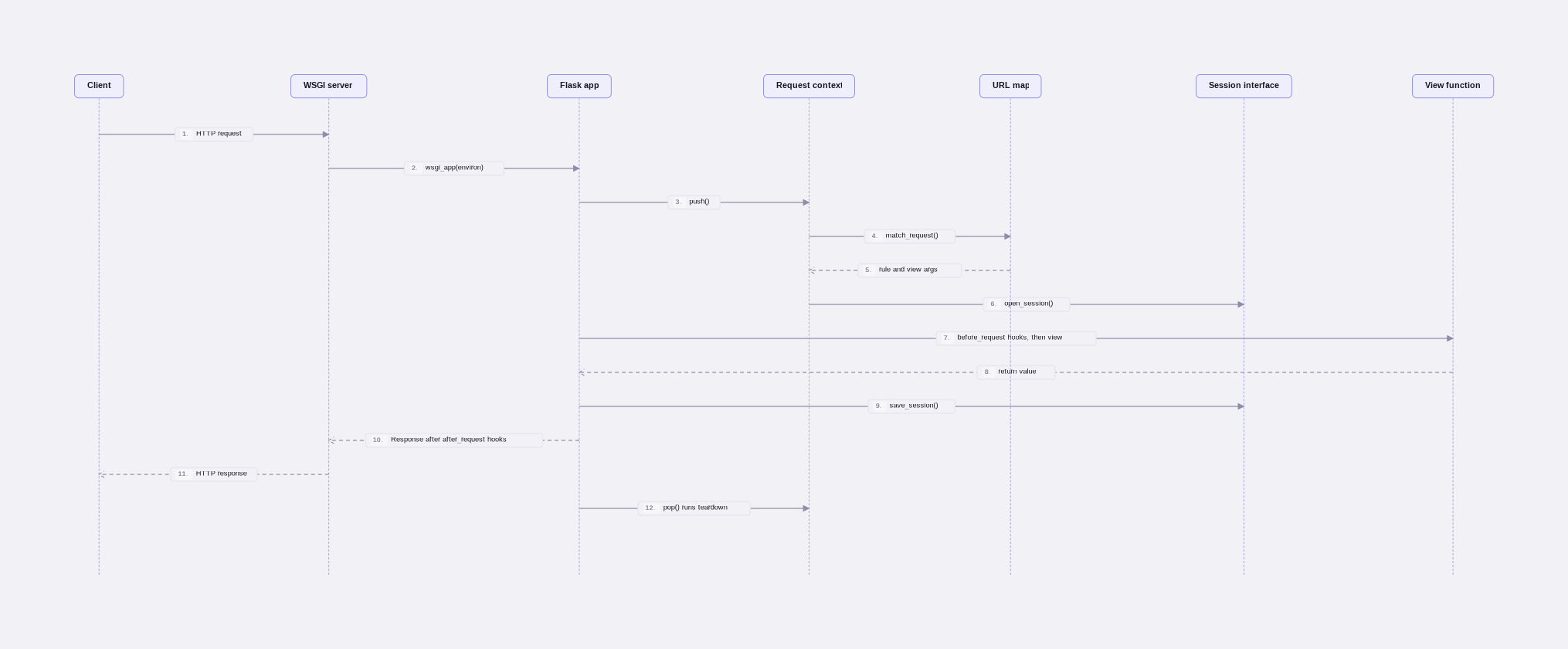
pallets/flaskRequest flow · What happens to one HTTP request, from the WSGI server to the view and back.
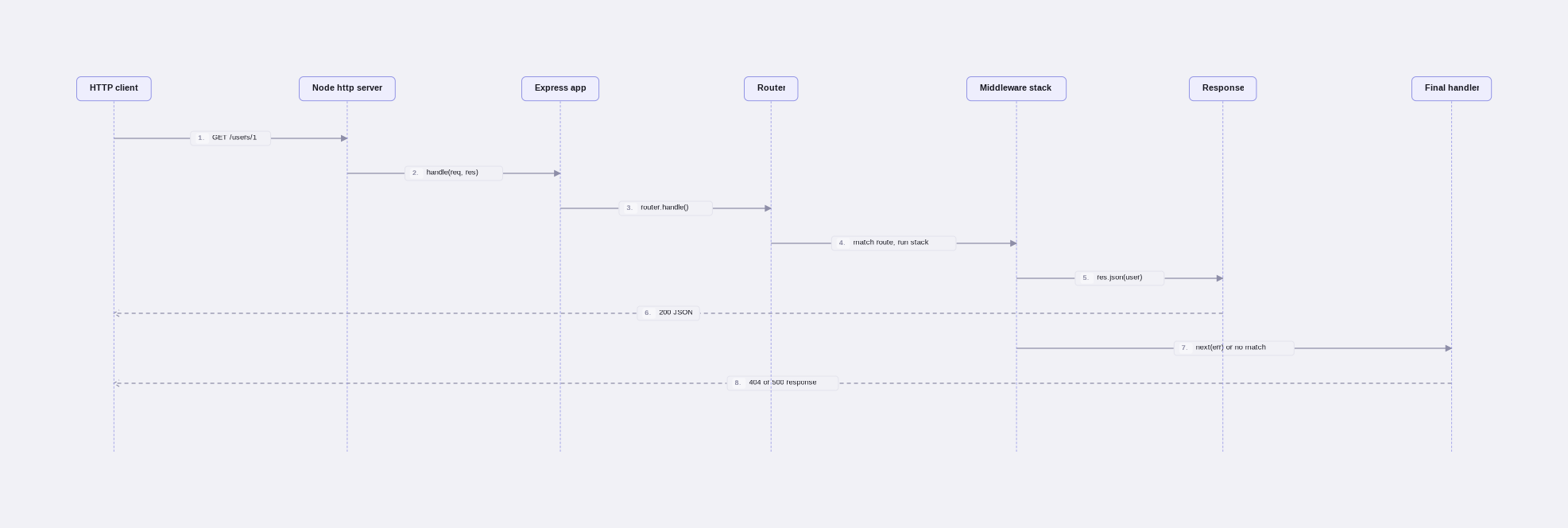
expressjs/expressRequest flow · What happens to one HTTP request, from the Node server through the app router to a respon…
Questions
- Can it trace a flow through my code?
- Yes. With a linked repo the agent reads the handlers and clients along the flow and draws the calls it finds.
- Can I describe a flow without code?
- Yes. Describe it in plain words and the agent draws the sequence.
- Can I edit what the agent draws?
- Yes. The diagram is a normal canvas: move, rename and add boxes and lines yourself, or ask the agent for a change in plain words. Every change can be undone.
- Can my own coding agent draw here?
- Yes. Claude Code, Cursor, Codex and other agents connect over MCP with one command, and draw into the same diagrams.
Try it on your own code.
Try Plotix