Code to diagram
Link a GitHub repo and Plotix's agent reads the code, chooses the diagrams it needs, and draws them: architecture, data model, key flows and states.
What the agent draws
- The architecture: services, stores and outside systems
- The data model from your schema
- Key flows as sequence diagrams
- Each box tied to the files it came from; on Pro, flagged when that code changes
How it works
- Link a repo, or describe it. Connect GitHub, or just say what the system does.
- Ask the agent. "Draw this repo for a new engineer". It reads the code it needs, then draws.
- Edit, share, review. Change it by hand or in words, then send one link to your team.
Examples from real projects
Drawn by Plotix's agent from the projects' public code.
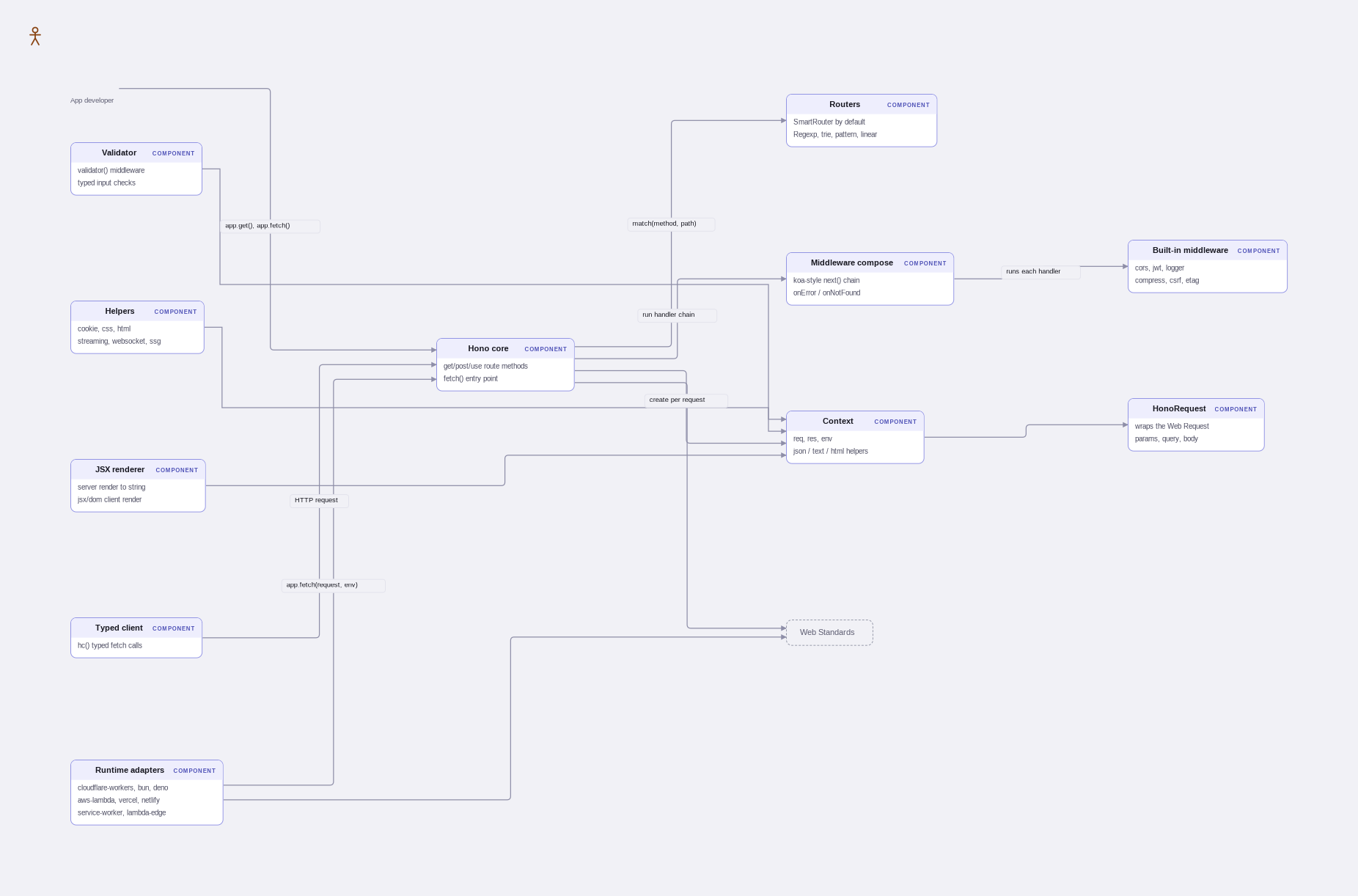
honojs/honoArchitecture · What Hono is made of and who talks to whom.
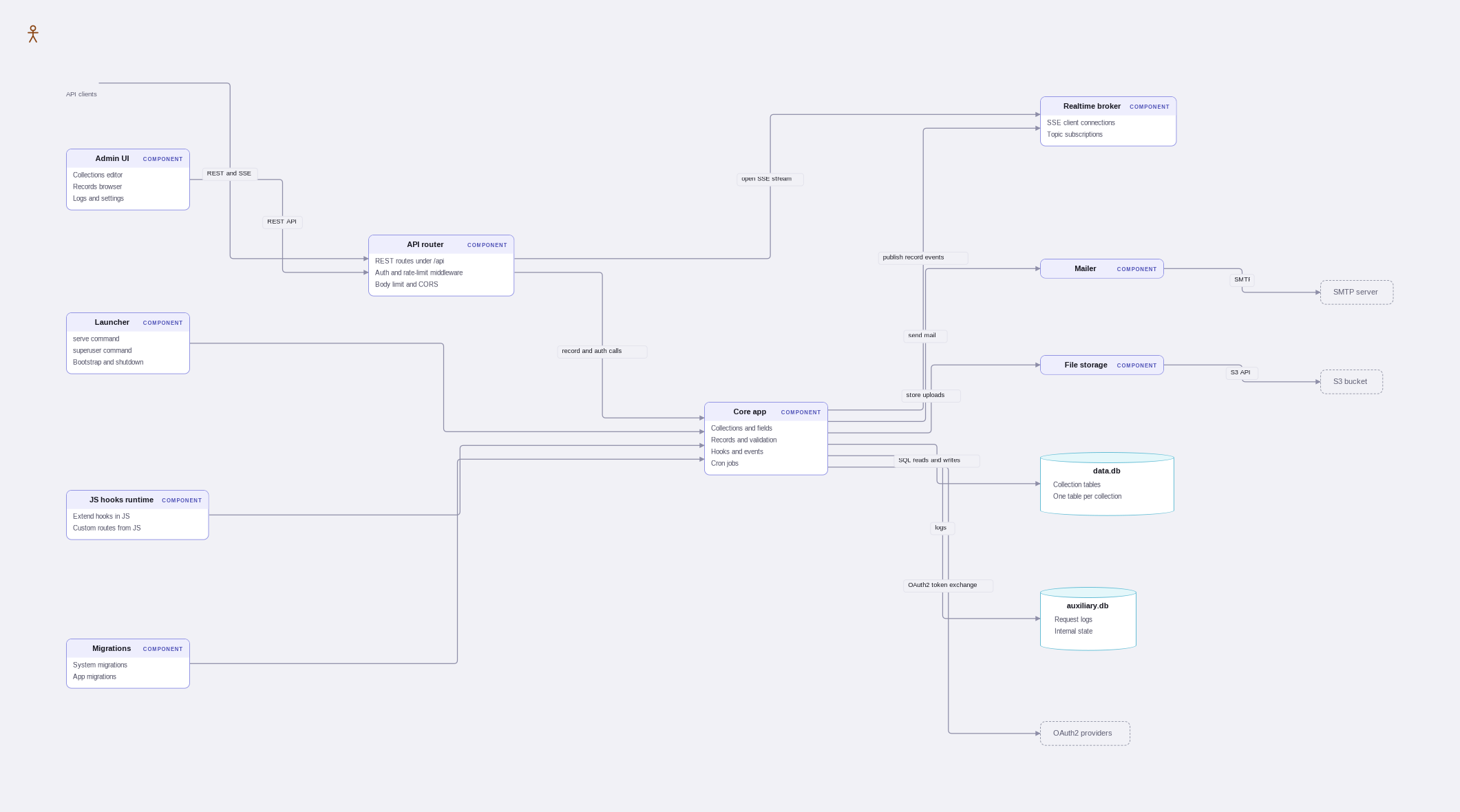
pocketbase/pocketbaseArchitecture · What talks to what at runtime. PocketBase ships as one Go binary; the Admin UI and API cl…
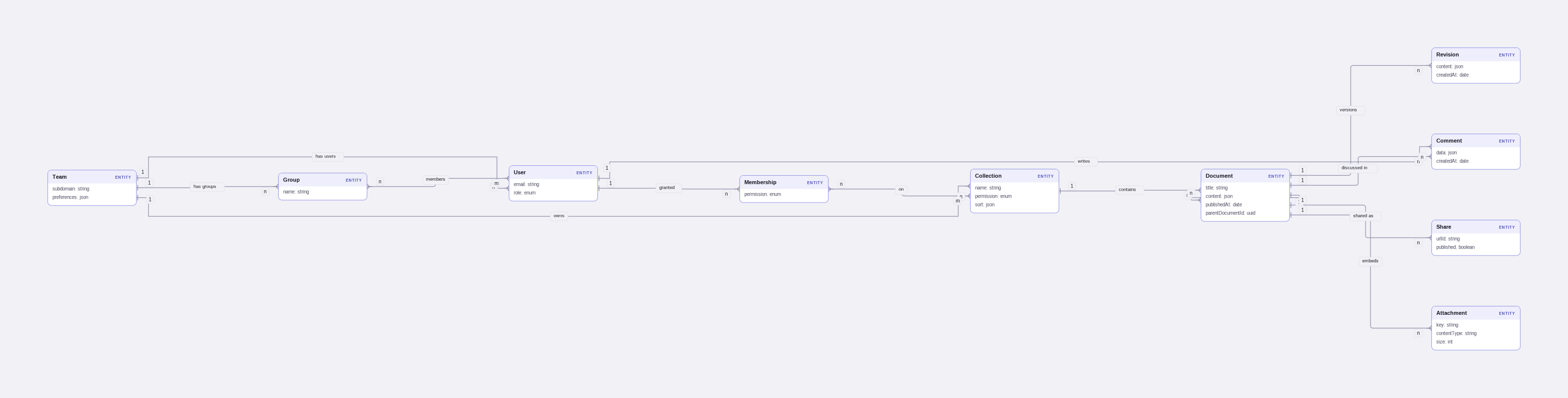
outline/outlineData model · Core Outline entities and how they relate. Source: server/models.
Questions
- Which diagrams does it draw?
- It chooses what explains the repo best: component, deployment, sequence, state, flow, pipeline, class and data model diagrams.
- What happens when the code changes?
- Boxes are tied to the files they came from. On the Pro plan, Plotix flags the ones whose code moved on.
- Can I edit what the agent draws?
- Yes. The diagram is a normal canvas: move, rename and add boxes and lines yourself, or ask the agent for a change in plain words. Every change can be undone.
- Can my own coding agent draw here?
- Yes. Claude Code, Cursor, Codex and other agents connect over MCP with one command, and draw into the same diagrams.
Try it on your own code.
Try Plotix